How do you control an air conditioner and boiler from your phone?
Step-by-step setup for switching your air conditioner and boiler on or off from your phone using a Wi-Fi kit, an infrared bridge or a smart room thermostat.
Short answer
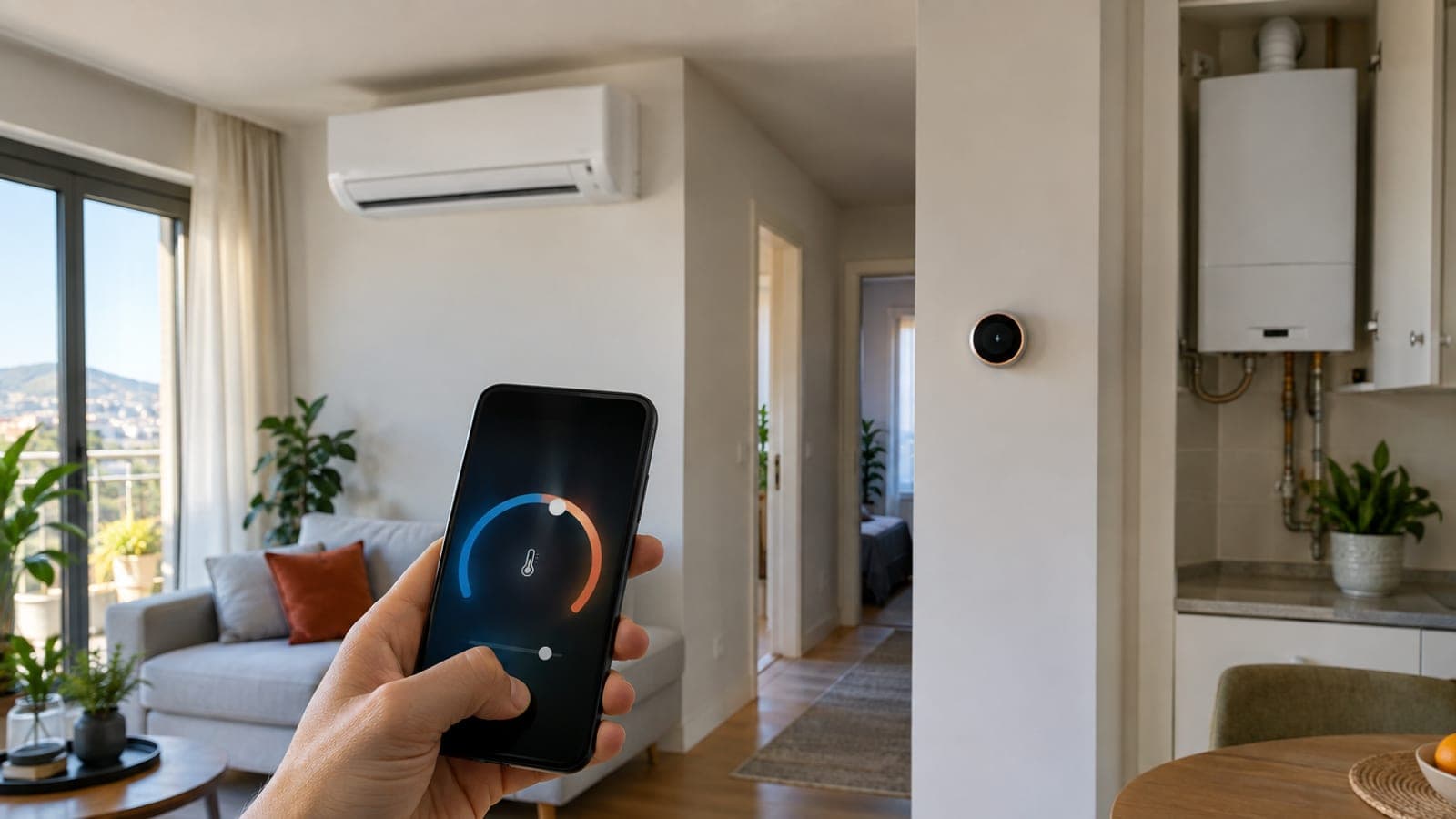
For an air conditioner you have two routes: the brand's own Wi-Fi kit (LG ThinQ, Arcelik HomeWhiz) or an infrared bridge in the 300-800 TL range (Broadlink RM4 mini plus Smart Life). For a boiler, the wired room thermostat is replaced with an OpenTherm-capable smart thermostat. Both setups need your router's 2.4 GHz network; total time is 30-60 minutes.
What you need
Step by step
Identify which route your devices support
Open the indoor unit's cover and look for a Wi-Fi kit slot, and check whether the remote has a Wi-Fi button. On the boiler side, note whether the wall thermostat is wired or battery-powered, and look for OT/OT or TA/RT terminals on the boiler board. With no Wi-Fi kit, an infrared bridge is the only option for the AC and a smart thermostat the only one for the boiler.
Split the 2.4 GHz network on your router
Almost no smart home device can see 5 GHz. Log in to the router at 192.168.1.1, open Wireless Settings, and give the 2.4 GHz and 5 GHz networks different names, such as HomeWifi_24 and HomeWifi_5. Connect your phone to the 2.4 GHz network during setup; skipping this makes pairing fail most of the time.
Register the air conditioner in the brand app
If a Wi-Fi kit is installed, set up the brand app: Add Product > Air Conditioner in LG ThinQ, Add Device in Arcelik/Beko HomeWhiz, New Device in Vestel Smart Life. Hold the Wi-Fi or ESP button on the remote for 3-5 seconds until the indoor unit beeps and enters AP mode. Pairing takes one to three minutes.
Install an infrared bridge if there is no Wi-Fi kit
Place the RM4 mini 1-5 m from the unit with a clear line of sight and nothing blocking the front. In the Broadlink or Smart Life app, follow Add Device > Universal Remote, then Add Remote > Air Conditioner and pick the brand. Try the code sets one by one until the unit responds to the app's test signal.
Cut the boiler's power and remove the old thermostat
Unplug the boiler or switch off its breaker, then wait three minutes. Open the wall thermostat cover, label the two wires at the terminal block with tape, and disconnect them. Those wires run to the TA/RT or OT/OT input on the boiler board; confirm which one from the wiring diagram in the boiler's installation manual.
Wire the smart thermostat and mount it correctly
Screw the base plate 1.4-1.5 m above the floor, away from exterior walls, radiators and direct sunlight. Connect the two wires to the thermostat's boiler terminal, polarity does not matter. OpenTherm lets the boiler modulate its flame, on/off wiring only switches it. Restore the breaker and wait for the temperature to appear on screen.
Set a weekly schedule and scenes in the app
In the thermostat app, open the Program or Schedule tab and enter a plan such as 21 C for weekdays 06:30-08:30, 17-18 C during the day and 19 C at night. In the AC app, use Timer to start cooling 20 minutes before you get home. Add Google Home or Alexa from the Connected Services menu for voice control.
Test remote access and frost protection
Turn off your phone's Wi-Fi and open the app on mobile data; if a command takes longer than 5-10 seconds, the device is not reaching the internet. Leave Frost Protection enabled at 7 C on the thermostat so the pipes cannot freeze while the house is empty.
Tips
Watch out
The boiler control board runs on 220 V. Always unplug the boiler or switch off its breaker and wait three minutes before opening the cover. Connecting the room thermostat wire to the wrong terminal can burn out the board, and that fault is not covered by warranty. If you are unsure, photograph the wiring after disconnecting it and ask an authorised service.
Frequently asked questions
+Can I control an older air conditioner from my phone?
Yes. If the unit has an infrared remote, a bridge such as the Broadlink RM4 mini lets you switch it on and off and set the temperature regardless of its age. The bridge needs a clear line of sight to the unit.
+Will a smart thermostat damage my boiler?
Not if it is wired to the correct terminal in the correct mode, since the thermostat only uses the boiler's room thermostat input. The risk comes from connecting an OpenTherm cable to a 220 V supply or a sensor input.
+Do I need to drill new holes to fit a smart thermostat?
Wireless models such as Netatmo and tado use a small relay at the boiler, and the thermostat runs on batteries so it can simply sit on a shelf. Wired models can reuse the existing thermostat's holes.
+Will the AC and boiler stop working if the internet goes down?
No. The thermostat keeps its schedule in its own memory and the air conditioner still works from the handheld remote; only remote control and in-app changes are unavailable.
+How long does the installation take and what does it cost?
An infrared bridge for the AC takes 20-30 minutes and costs roughly 300-800 TL. Fitting a smart thermostat on the boiler takes 30-60 minutes, with device prices starting around 1,500 TL.
Sources and verification
Published: September 14, 2026. tell us. Prices in Turkish lira and product names (LG ThinQ, HomeWhiz, Vestel Smart Life) reflect the Turkish market; router login address may differ by ISP.
This content is for information only; for official procedures the relevant institution’s current announcements take precedence. Details: disclaimer.