How do you extend phone battery life with charging habits?
A simple daily routine that keeps the phone between 20 and 80 percent, holds heat under 35 C and uses built-in charge limits.
Short answer
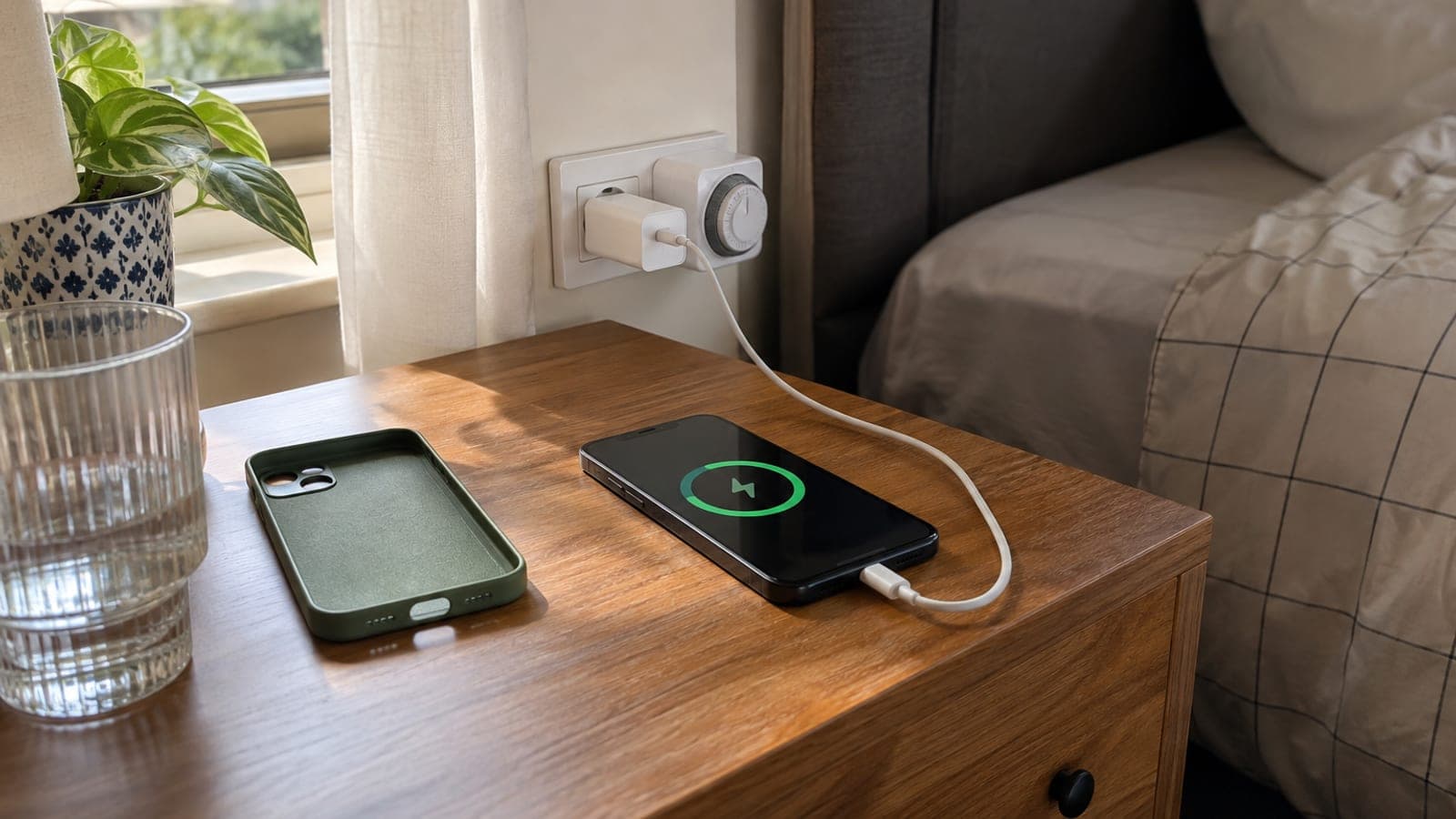
Charge before you drop below 20 percent and unplug around 80 percent. On iPhone turn on Settings > Battery > Charging > 80% Limit; on Samsung use Settings > Battery > Charging > Battery protection. Take the case off while charging and never charge on a bed or under a blanket. Use a 5W adapter instead of fast charging overnight, and check battery health every three months.
What you need
Step by step
Measure current battery health
On iPhone go to Settings > Battery > Battery Health & Charging and write down the Maximum Capacity figure. On Samsung use Settings > Battery and device care > Diagnostics > Battery status, and on Xiaomi open the Security app > Battery section. Without a starting number you cannot tell whether the habit change is working.
Turn on the charge limit
On iPhone 15 and later select Settings > Battery > Charging > 80% Limit; on older models enable Settings > Battery > Battery Health & Charging > Optimized Battery Charging. On Samsung turn on Settings > Battery > Charging > Battery protection (Maximum or Adaptive), and on Xiaomi enable Settings > Battery > Battery protection. This stops the cell from sitting at high voltage.
Keep the daily range at 20-80 percent
Plug in somewhere between 20 and 30 percent and unplug at 80. Two or three short top-ups a day stress a lithium-ion cell less than one full drain and full refill. On iPhone keep Settings > Battery > Battery Percentage on so you can see the 20 percent mark coming.
Keep charging temperature under 35 C
Remove thick cases while charging, especially silicone and leather ones, and never set the phone on a pillow, duvet or sofa cushion. Charging in a car on a sunny dashboard in summer is the fastest way to lose capacity. Heat causes permanent capacity loss over the months.
Slow down overnight charging
If the phone will stay plugged in all night, use an older 5W adapter instead of a 20-25W fast charger, or charge from a computer USB port. Alternatively, set a timer plug to cut power after two or three hours. Slower charging lowers both heat and time spent at high voltage.
Pick the right cable and adapter
Cheap unbranded adapters deliver unstable voltage; use one that carries a safety mark and prints its output rating on the body, such as 5V/3A or 9V/2.22A. Do not wind the cable tightly, and leave the last 5 cm near the connector free. Clean the charging port every three months with a wooden toothpick, never a needle.
Cut background drain
On iPhone open Settings > Battery and find the three heaviest apps in the last 10 days; on Samsung add them under Settings > Battery > Background usage limits > Sleeping apps. Set screen brightness to automatic and shorten Settings > Display & Brightness > Auto-Lock to 30 seconds. Fewer charge cycles per day means slower ageing.
Store an unused phone at 50 percent
If a spare phone is going into a drawer, bring it to 50 percent, power it off and top it back up to 50 percent every six months. A battery left fully empty can enter deep discharge, swell or refuse to charge at all. Keep it away from hot spots like radiators and car trunks.
Tips
Watch out
Stop using a battery that is swollen, lifting the back panel or overheating while charging, and never try to remove it yourself; a punctured lithium-ion cell can catch fire. Unplug the device and take it to an authorised service centre. Charging under a duvet or at the head of the bed is the most common mistake that raises this risk.
Frequently asked questions
+Does leaving the phone plugged in overnight ruin the battery?
Modern phones stop charging at 100 percent, so there is no immediate danger. But hours at 100 percent and high voltage do reduce capacity over time, which is why the 80 percent limit or optimised charging is a better setting.
+Do I need to drain the battery to zero and then fully charge it?
No, that habit belonged to old nickel batteries. Full discharges are hard on lithium-ion cells; staying between 20 and 80 percent is the healthiest pattern.
+Is fast charging bad for the battery?
The fast-charge protocol your device supports is safe, but it produces more heat. If you are not in a hurry, charge at 5-10W day to day and save fast charging for when you actually need it.
+At what battery health percentage should I replace the battery?
Replace it once health drops below 80 percent, or when the phone no longer lasts the day and shuts down suddenly. Authorised service pricing varies widely by model and region, so ask for a quote first.
+Is it a problem to charge with a different brand of adapter?
Adapters that meet the USB-C PD or Quick Charge standard and carry a safety mark are fine. Unbranded adapters with no printed output rating can damage the charging circuit through voltage fluctuation.
Sources and verification
Published: September 14, 2026. tell us. Adapted from a Turkish guide; local price ranges and certification marks (TSE) were replaced with generic equivalents for an English-language audience.
This content is for information only; for official procedures the relevant institution’s current announcements take precedence. Details: disclaimer.