How do you save a phone that fell in water?
Save a soaked phone by drying it in the right order, not with rice, a hairdryer, or a test charge.
Short answer
Get the phone out of the water fast, power it off with the buttons instead of tapping the screen, then pull the SIM tray and remove any case. Wipe the outside with paper towels, prop it at an angle with the port facing down, and shake it gently every 2-3 minutes for 15 minutes. Then let it dry at room temperature in light airflow for at least 48 hours. Do not charge it before then.
What you need
Step by step
Power the phone off
As soon as it is out of the water, hold the side button and volume down together for two seconds without poking at the screen, then drag the "Power Off" slider. On Android, tap "Power off". A device that stays on carries the highest risk of shorting circuits together, and shutting it down cuts that risk.
Remove the SIM tray and case
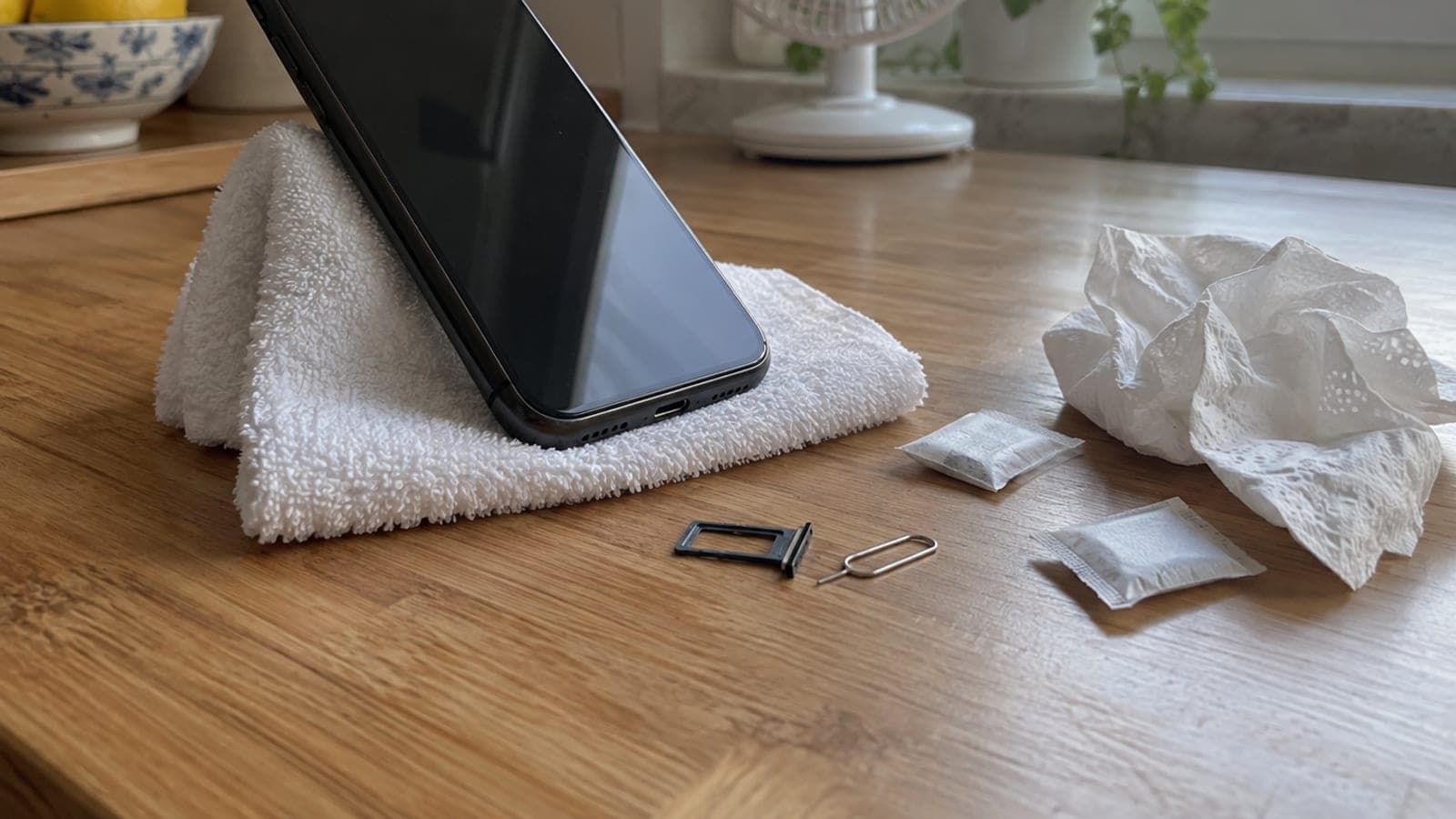
Press the ejector pin into the tray hole and pull the tray out, and take out the microSD card if your phone has one. Remove the case, screen protector, and any cable accessories. Those cavities trap water, and opening them also gives trapped moisture a way out.
Wipe the outside and drain the water
Dry the screen, back glass, and edges with a paper towel. Hold the phone at a 45-degree angle with the charging port facing down and tap it gently against your palm 10-15 times, repeating every 2-3 minutes for 15 minutes. Blot water coming out of the speaker and port openings with the towel, and never push paper into the openings.
Dry it for 48 hours at room temperature
Prop the phone port-down against a glass or on a dry towel and aim a desk fan at it from about 1 to 1.5 meters away. If you have silica gel, seal the phone in a jar with the packets. Wait a full 48 hours without turning it on, and 72 hours if you want to be sure no moisture remains.
Check the port, then power it on
When the time is up, shine a flashlight into the charging port. If you see no moisture, fog, or white residue, turn the phone on. Then play an audio recording through the speaker, test the front and rear cameras, and touch all four corners of the screen. If the sound crackles or the screen looks stained, dry it a few more days.
Back up your data right away
If the phone works, back it up first: on iPhone go to Settings > Apple Account > iCloud > iCloud Backup > "Back Up Now"; on Android go to Settings > Google > Backup > "Back up now". Water-exposed devices can still fail weeks later, so a backup is the only real guarantee against data loss.
Have a service center check for moisture
If the liquid was seawater, pool water, tea, or toilet water, take the phone in even if it powers on, because salt and sugar residue corrodes the board over months. Apple and Samsung authorized service centers read the internal moisture indicator and can do ultrasonic cleaning and board washing.
Tips
Watch out
Rice, hairdryers, heaters, ovens, and compressed air are not rescue methods, they cause damage. Rice dust and starch get into the port and speaker, hot air melts seals and drives moisture deeper into the device. The most common fatal mistake is plugging a wet phone in to charge: that shorts the mainboard and battery beyond repair.
Frequently asked questions
+Does rice really not work?
It does not. In tests rice pulls moisture more slowly than simply drying in open air, and its dust and grains can lodge in the charging port and speaker grille and cause permanent faults. Silica gel or airflow works better.
+My phone is IP68 rated, can I skip all of this?
No. The IP68 test is 30 minutes in 1.5 meters of fresh water; salt water, soapy water, pressurized water, and hot water are all outside it. Age, drops, and screen replacements also weaken the seals, so you still need to power down and dry it.
+How long until I can plug it in to charge?
At least 48 hours, or 72 hours for salty or sugary liquids. Shine a flashlight into the port and confirm there is no fog or residue, and if an iPhone shows a liquid alert, wait until the alert stops appearing.
+Is water damage covered by warranty in Turkey?
No. Liquid contact counts as user-caused damage and falls outside the two-year legal warranty. Service centers will quote a paid repair; only separately purchased device insurance or a carrier damage plan may cover the cost.
+What symptoms mean I need a service center?
Crackling from the speaker, stains or lines on the screen, foggy camera shots, fast battery drain, the device running hot, or failing to charge. If you see any of these, stop using the phone and take it to an authorized service center.
Sources and verification
Published: September 14, 2026. tell us. Warranty and insurance details reflect consumer rules in Turkey, where liquid damage is treated as user-caused and excluded from the two-year legal warranty.
This content is for information only; for official procedures the relevant institution’s current announcements take precedence. Details: disclaimer.