How do you recover data from a phone with a broken screen?
Step-by-step ways to pull photos, contacts and files off a cracked phone using a cable, a USB mouse or a cloud backup.
Short answer
Do not power the phone off. Check your cloud backup first at photos.google.com or icloud.com from a computer. If the display works but touch does not, plug a wired mouse into a USB-C OTG adapter, unlock the phone, then connect the USB cable and pick "File transfer" to copy files. If the screen is fully dead, back up an iPhone with Finder; take an Android to an authorized service center.
What you need
Step by step
Test the damage in five minutes
Plug the phone into a charger and listen for the vibration or charging chime, then call it from another phone. If the display lights up but touch is dead, the mouse method is for you; if the screen is fully black, go the computer route. This one distinction decides every step that follows.
Check your cloud backup
From a computer, open photos.google.com and drive.google.com to see whether your photos and files already uploaded; on iPhone, use icloud.com then Photos. On Android, an existing backup shows up with its date under Google One then "Device backup". Most people discover here that their data is already safe in the cloud.
Connect a mouse with an OTG adapter
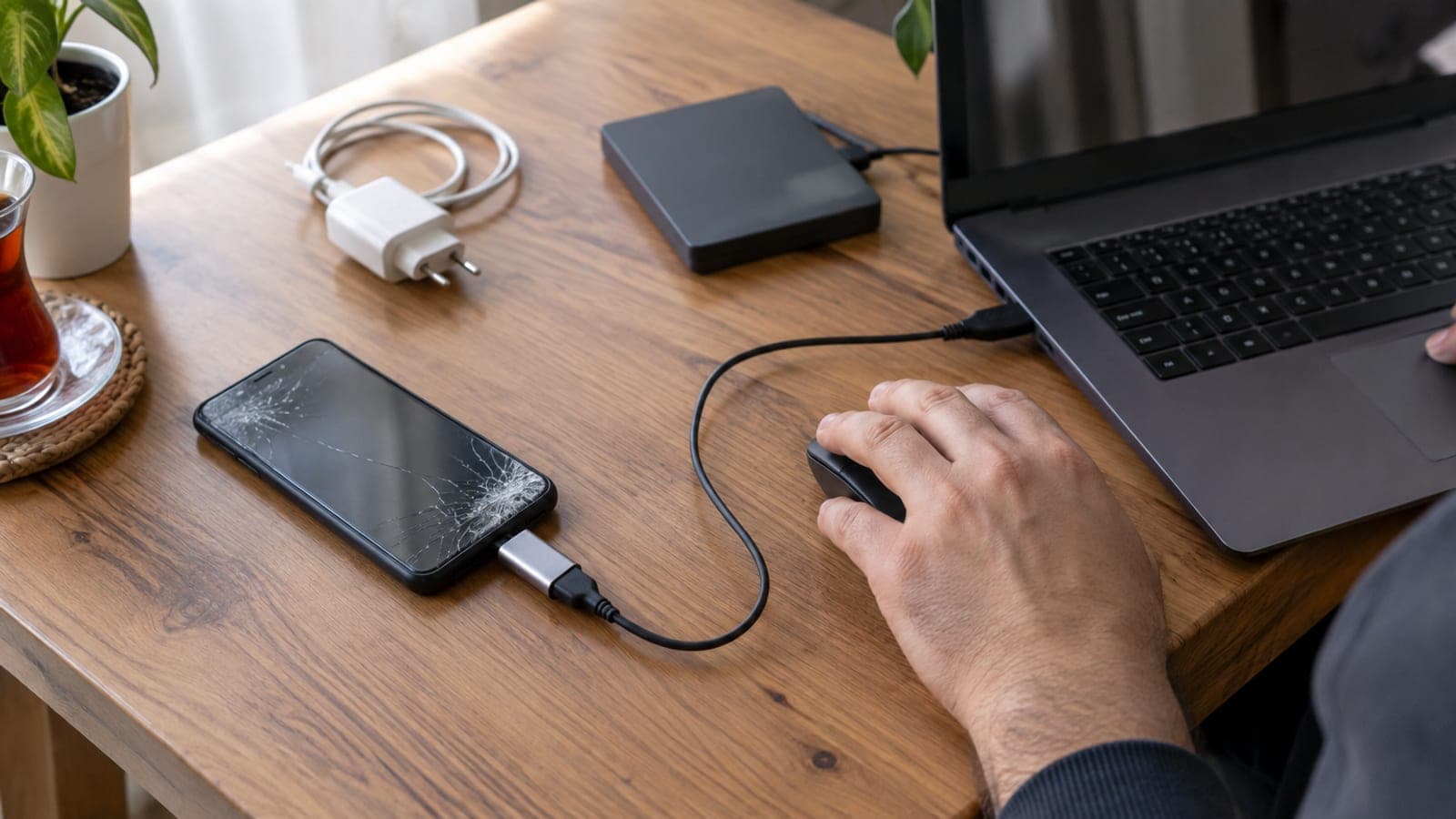
Plug the USB-C OTG adapter into the phone and attach the wired mouse; an arrow cursor appears within a few seconds. Drag upward and click the PIN keys to unlock, then go to Settings then Display and push brightness to maximum. On phones with a dead digitizer but a working display this takes about ten minutes.
Copy files over the USB cable
Connect the phone to the computer with the original cable and tap "File transfer" in the "Use USB for" notification on the phone. On Windows, go to This PC, then the phone name, then Internal shared storage, and copy the DCIM and Download folders to your desktop. Around 40 GB of photos takes 15-25 minutes.
Make a full iPhone backup
Connect the iPhone to Finder on a Mac or the Apple Devices app on Windows, click the device name in the sidebar, tick "Back up all of the data on your iPhone to this Mac" and press "Back Up Now". If you previously tapped "Trust This Computer", the backup runs even with a dead screen; a 128 GB device needs 30-60 minutes.
Mirror the display to a TV
If the display shows nothing at all, plug the USB-C to HDMI adapter into the phone, run the HDMI cable to the TV and select the matching HDMI input. The phone's screen appears on the TV, so you can unlock it with the OTG mouse and pick files comfortably on a big display. This works on higher-end Samsung, Xiaomi and Huawei models but not on entry-level phones.
Take it to an authorized service center with a note
If nothing else worked, visit the brand's authorized service center and have "replace screen without erasing data" written on the service form. A screen replacement runs roughly $50-300 depending on the model and takes one to three business days; cracked glass counts as user damage, so warranty does not cover it. You are not obliged to hand over your lock screen passcode.
Turn on automatic backup
Once your data is safe, go to Settings then Google then Backup and switch on "Backup by Google One"; on iPhone it is Settings, your name, iCloud, then "iCloud Backup". In WhatsApp, open Settings then Chats then Chat backup and set daily backups to Google Drive.
Tips
Watch out
Do not leave a cracked phone with random shops advertising "data recovery". Once the device is unlocked, photos, banking apps and backups can all be copied. A factory reset also ends any chance of recovery: back up first and leave resetting for last.
Frequently asked questions
+Can data be recovered if the screen never lights up?
Usually yes. If the mainboard and storage are intact, everything is still there once the service center swaps the screen. Replacing a display does not wipe memory.
+I connected the phone to my computer but it does not show up. What now?
File transfer mode will not start while the phone is locked. Try another cable and a rear USB port on the computer; if that fails, unlock it with an OTG mouse and select "File transfer".
+How much does a screen replacement cost and how long does it take?
At authorized service centers it runs roughly $50-300 depending on the model and panel type, usually same day or one to three business days. Ask for a written quote since prices change often.
+Is a broken screen covered by warranty?
No. Glass cracked by a drop or impact counts as user damage and the manufacturer warranty does not cover it. Device insurance or an added screen protection plan lowers the cost.
+Is my data stored on the SIM card?
Almost none of it. On modern phones contacts live in your Google or iCloud account and photos sit in internal storage, so moving the SIM to another phone brings nothing back.
Sources and verification
Official pages for this process
Published: September 14, 2026. tell us. Prices converted to US dollars; menu names use standard English Android and iOS labels.
This content is for information only; for official procedures the relevant institution’s current announcements take precedence. Details: disclaimer.