How do you speed up a home network with 6 GHz Wi-Fi?
When running cable is not an option, a 6 GHz bridge between two routers gets you close to wired speed.
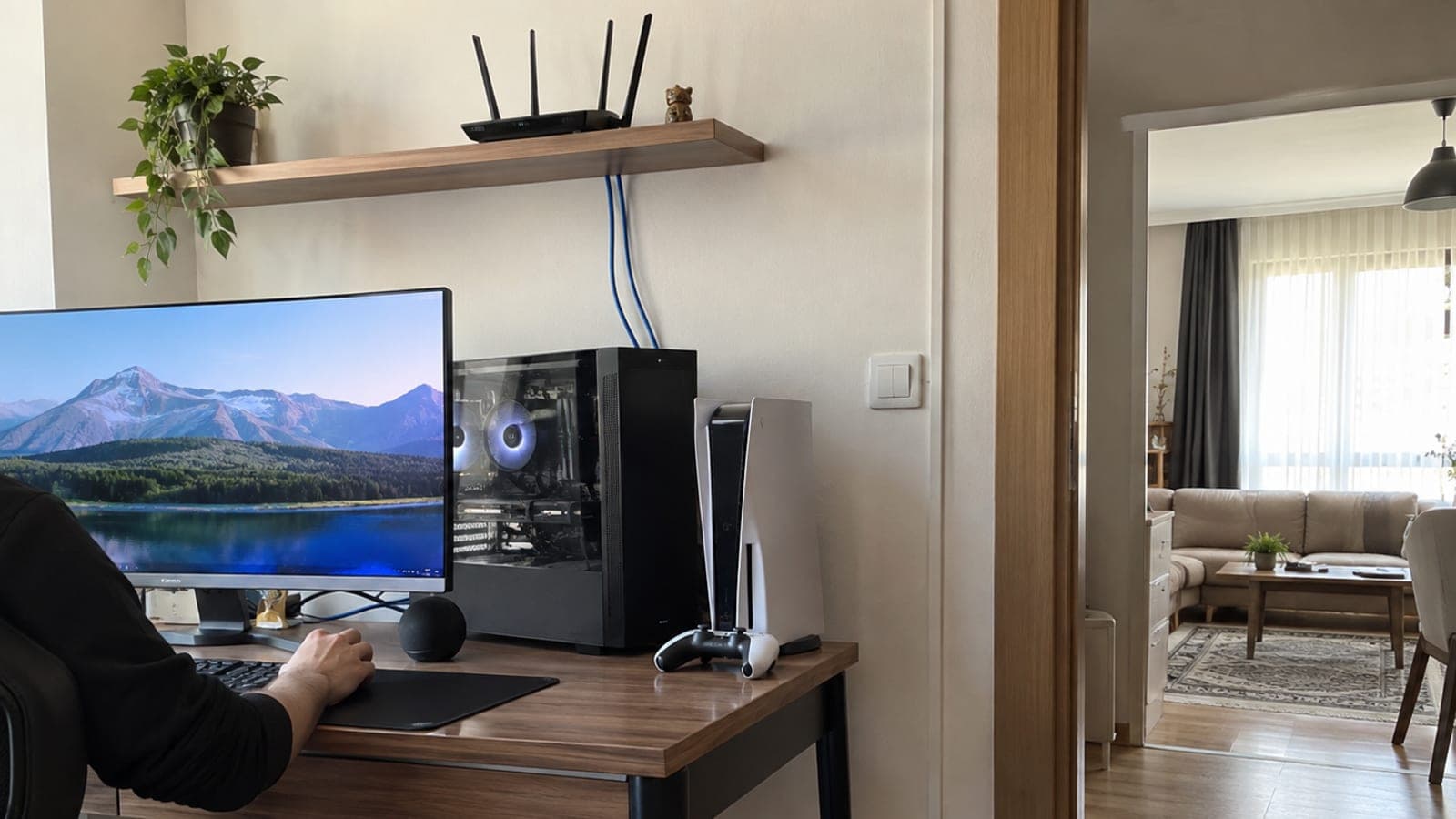
Short answer
Connect a Wi-Fi 7 router with 6 GHz support to your ISP modem. Put a second router of the same model in the room you cannot cable, switch it to Media Bridge mode, and lock the link to the 6 GHz band. Plug the desk computer, console and printer into that second router with short Ethernet cables. Everything then runs wired except one wireless hop.
What you need
Step by step
Confirm the problem is band congestion
Install a Wi-Fi analyzer app on your phone and count the networks around you. In apartment buildings, 8 to 10 neighboring networks on 2.4 and 5 GHz is normal, and that is usually what causes sudden latency spikes and dropping speeds. If your 2.4 GHz Bluetooth keyboard and game controller also stutter, the picture is clear.
Replace the main router with a 6 GHz model
Connect a Wi-Fi 6E or Wi-Fi 7 router that supports 6 GHz behind your modem. The 6 GHz band is still barely used, so interference from neighbors is close to zero. To avoid double NAT, put the modem in bridge mode and let the router handle routing.
Place the second router in the far room
Put the second router in the room you cannot cable, with as few walls as possible between it and the first one. Pick a high, open spot such as a shelf top. The 6 GHz range is short and struggles through walls, so 5 to 6 meters near line of sight is ideal.
Switch the second router to Media Bridge mode
In the admin interface, set the operation mode to Media Bridge (ASUS uses that name; other brands call it Wireless Bridge or Client Mode). In this mode the device broadcasts no new wireless network, it only carries Ethernet devices onto the main network. During setup, lock the link to the 6 GHz band so it does not fall back to crowded bands on its own.
Cable the desk devices with short runs
Plug the computer, game console, NAS and printer into the LAN ports of the bridged router using short Ethernet cables. If you run out of ports, add a small gigabit switch. Older devices without a Wi-Fi card also get on the network this way.
Measure speed and latency at two points
Run the same speed test on a device wired to the main router and on the computer behind the bridge, then compare. If the two results are close, the bridge is set up correctly. If ping differs noticeably, try a few different positions for the second router.
Make it permanent and write it down
Find the IP address the bridged router picked up in the main router's client list, set a DHCP reservation for it, and note the address somewhere. Update the firmware on both devices; 6 GHz stability and Wi-Fi 7 features usually improve through software updates.
Tips
Watch out
A router in Media Bridge mode may no longer serve its interface at the familiar address; if you do not note the IP, you will need a factory reset to reach the settings. Also, if the modem and router both do NAT you get double NAT, which causes port problems for gaming and remote access.
Frequently asked questions
+Is 6 GHz Wi-Fi legal to use in Turkey?
Yes, the lower 6 GHz band is open for low-power indoor use and Wi-Fi 6E/7 devices sold in Turkey support it. Devices brought from abroad may have the band disabled by country setting.
+Why bridge mode instead of a mesh system?
If the two devices sit close together, broadcasting a second wireless network buys you nothing. Bridge mode only carries Ethernet devices and adds no extra interference.
+Does 6 GHz reach through walls?
Poorly. Keep as few and as thin obstacles as possible between the two bridge points; 5 to 6 meters with a single partition generally works fine.
+Does this setup help if my devices do not support Wi-Fi 7?
Yes, that is the whole point. Your devices connect to the second router by cable, so Wi-Fi 7 is used only for the hop between the two routers.
+Can I get my full gigabit connection?
At a reasonable distance, yes. Tests at the main router and behind the bridge come out very close, moving the bottleneck from your local network to the ISP.
Sources and verification
Published: September 11, 2026. tell us. Written for Turkey: 6 GHz lower band is permitted for low-power indoor use, and imported hardware may ship with the band locked by region.
This content is for information only; for official procedures the relevant institution’s current announcements take precedence. Details: disclaimer.